Make it sound like you.
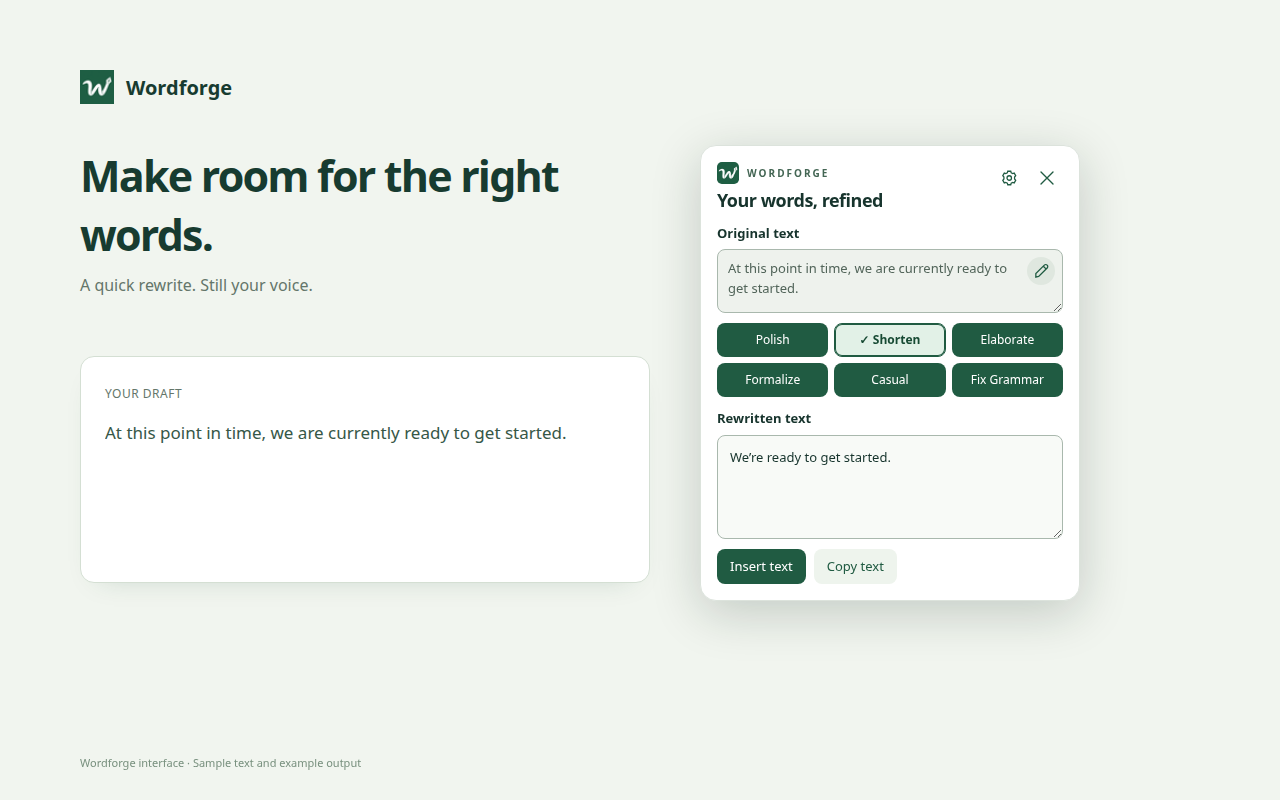
Highlight your words and right-click to polish, shorten, expand, or change the tone. Review the result, then put it back in place.
 Wordforge
A LITTLE HELP WITH YOUR WORDS
Polish a message. Find a better sentence. Catch the typo before you hit send. Wordforge brings thoughtful writing help to the places you write.
Your own API key. Your choice of AI.
 WORDFORGE
Original text
Rewritten text
Illustrative example · You review every rewrite.
TAKE A CLOSER LOOK
From a quick rewrite to the last typo, here’s Wordforge in action.
Actual Wordforge components, shown with sample text and example output. Select an image to see it full size.
GOOD WORDS. YOUR CHOICE OF AI.
LESS FRICTION. BETTER WRITING.
Highlight your words and right-click to polish, shorten, expand, or change the tone. Review the result, then put it back in place.
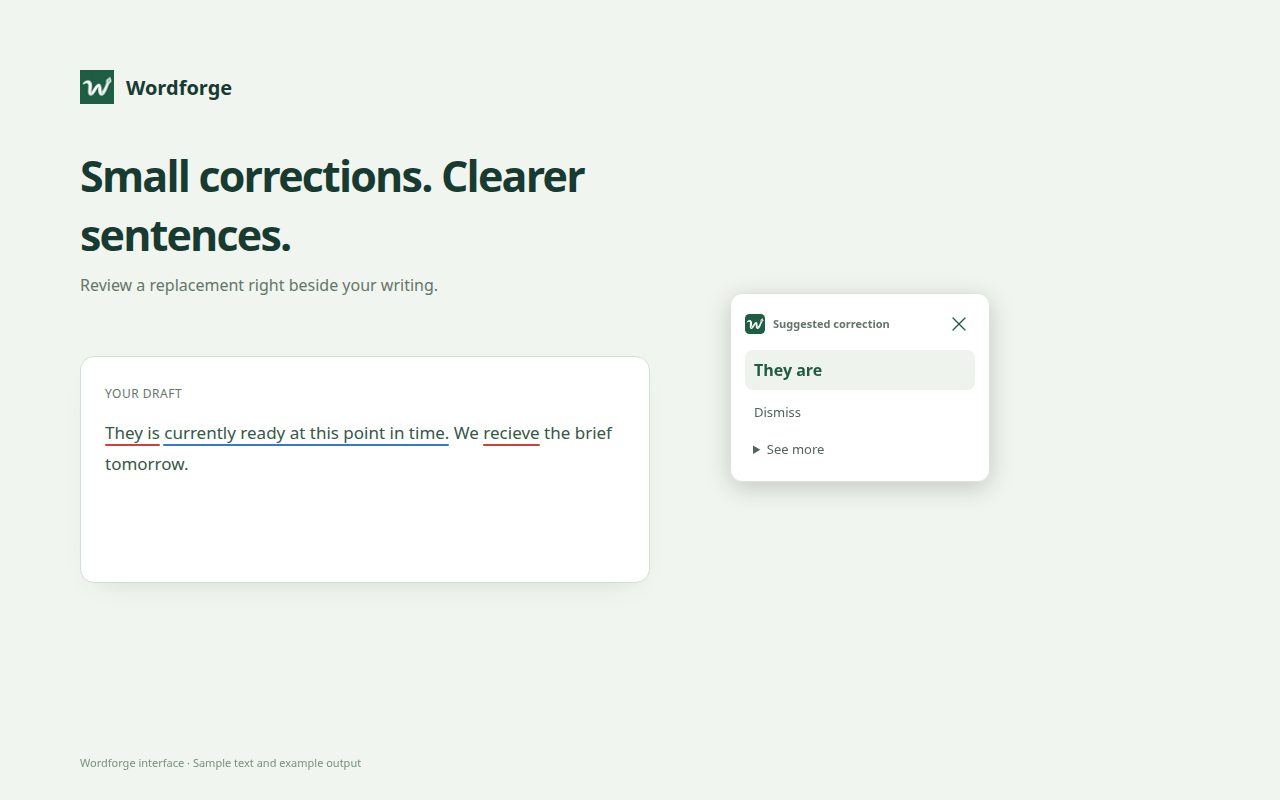
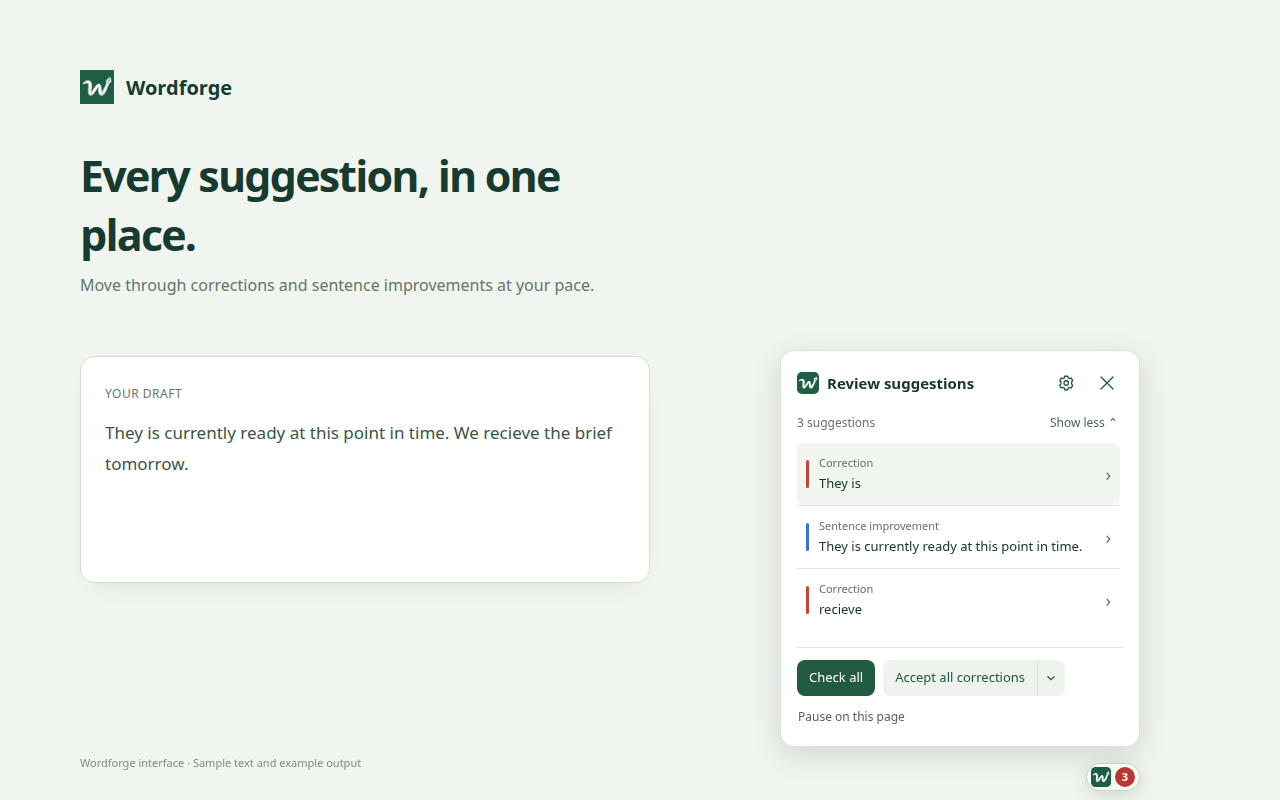
Optional writing checks flag corrections and clearer sentences as you pause. Hover to see a suggestion. Keep the changes you like.
Pick your provider and model. Adjust your writing prompts. Keep the usual pause between checks, or check completed sentences sooner.
A CLEARER PICTURE OF PRIVACY
API keys are saved in your browser and sent only to their provider for authentication. Your writing goes directly to the AI provider you select.
Wordforge has no developer backend, advertising, analytics, or saved writing history. Automatic checks are off until you choose to enable them.
Read the privacy policyYes. Bring your own key from a supported provider. API usage is billed by that provider; a consumer chatbot subscription does not necessarily include API access. Faster checks may use more tokens.
In standard text fields and many DOM-based rich-text editors on websites. Compatibility varies. Embedded-frame, closed-shadow and canvas editors such as Google Docs, local files and Chrome internal pages are not supported in this version. Some editors need the copy/paste fallback.
No. Wordforge offers suggestions; you choose whether to accept them. You can accept a single correction, all corrections, or include sentence improvements. AI can make mistakes, so review your writing before sending it.
Install Wordforge from the Chrome Web Store, then open Settings to add your API key and choose a model. For questions, contact Fabiotech.